
Music & Utilities
SongFetch
Find the song in a screenshot
The song title is right there in the corner of the screenshot you already took. SongFetch reads it off the image on-device and opens the track in Apple Music — no typing, no humming into a microphone, no waiting for the sound to come round again.
- Reads screenshots on-device
- No accounts, no ads
- Scan from Control Center
- Works from the share sheet
Screenshot the song. Open it in Apple Music.
How it works
-
Screenshot
A TikTok, a Reel, a Short, a Spotify screen, a friend's message — anything with the song credit visible. Paste it, pick it, share it in, or start the scan from Control Center.
-
Scan
Apple's Vision framework reads the text on-device, and Apple Intelligence reads it alongside where it's available. The screenshot itself never leaves your phone.
-
Match
The candidate titles go to Apple's music catalog, and the results are ranked against everything on the screen — with karaoke, covers and sped-up edits pushed down.
-
Open
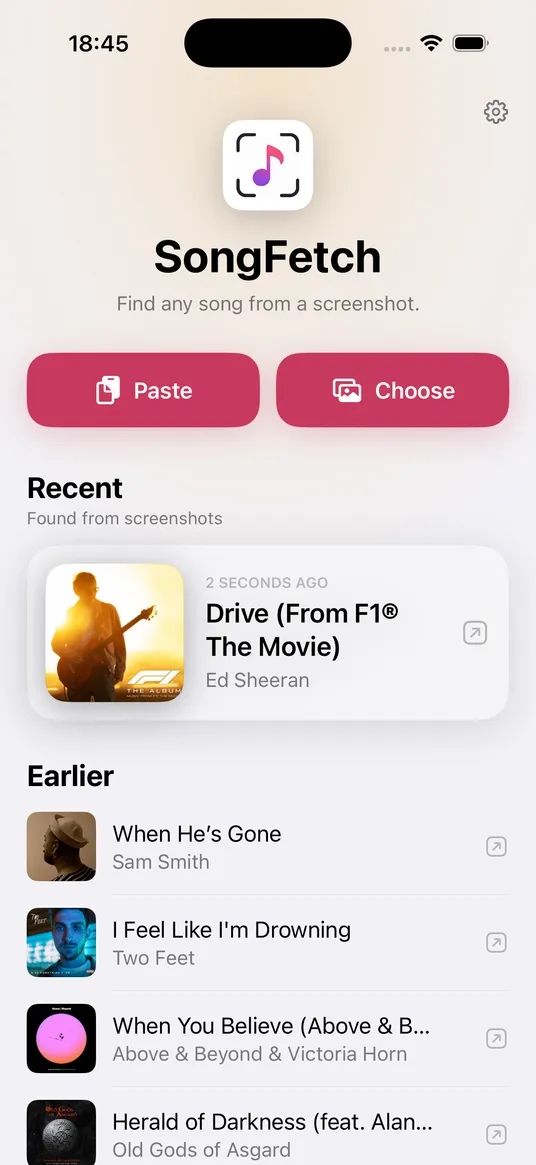
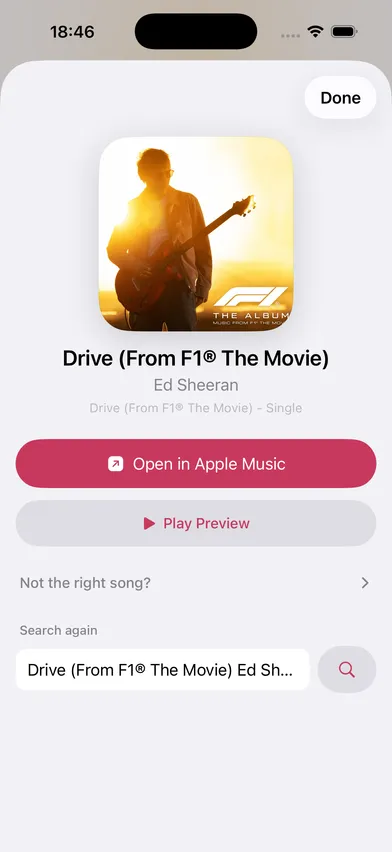
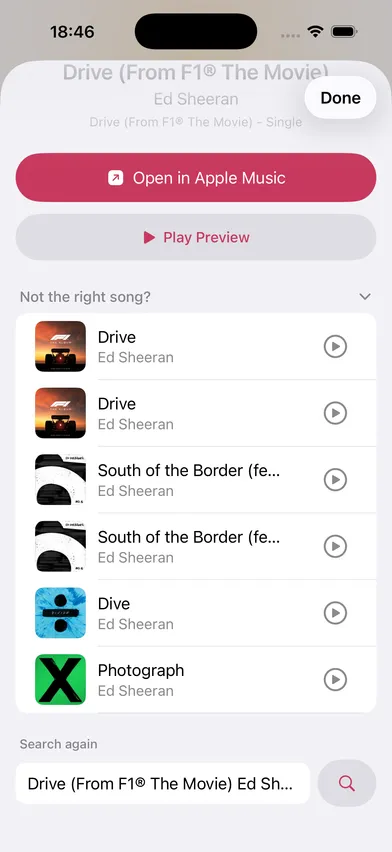
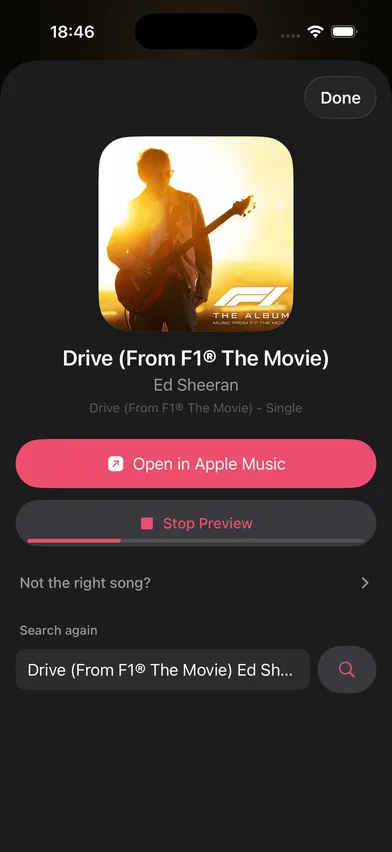
One tap into Apple Music, on the real track. If the match isn't right, refine the search without starting over.
A look inside
What's inside
-
Screenshots stay on your phone
Text recognition runs entirely on-device. Only the song name it reads is ever searched — the image itself is never uploaded anywhere.
-
Built for messy screenshots
A ♪-prefixed credit, a "Title — Artist" line, a stacked now-playing card, or just prominent text. It handles the layouts real screenshots actually have.
-
Ranked, not guessed
Results are scored against the whole screenshot rather than a single query, then karaoke versions, covers and sped-up edits are demoted.
-
Every way into a screenshot
Paste it, pick up to ten from your library, share one in from any app, or start a scan from Control Center, the Lock Screen or the Action Button.
-
No Apple Music subscription needed
Matching uses Apple's public catalog, so a scan works for everyone. Playback opens in Apple Music if you have it.
-
Your finds follow you
Every kept song lands in a history that syncs over your own iCloud account. Nothing is written until you leave a result, so a guess you corrected was never a find.
-
One unlock, three ways to buy
SongFetch Unlimited is sold monthly, yearly, or as a single lifetime payment — all three unlock exactly the same thing. No ads and no accounts on any of them.
About SongFetch
SongFetch exists because of a small, specific annoyance: a song goes past, you screenshot it so you won’t lose it, and then it sits in the camera roll. The credit is right there in the corner of the image, and getting from that to the actual track still means typing half-remembered words into a search box.
The app takes the screenshot you already have and does the rest. Apple’s Vision framework reads the text on-device; where Apple Intelligence is available, the on-device model reads the same text alongside the heuristics, as an enhancement rather than a dependency. Neither one sends your screenshot anywhere.
What comes out isn’t a single confident guess but a set of ranked search terms — the catalog is far better at resolving those than a parser is. The results are then scored against everything visible in the screenshot, not just the query, which is what keeps the karaoke version and the sped-up edit from winning.
A result appears the moment you pick a screenshot and fills in as the scan reports back, and nothing reaches your history until you leave it — a first guess you then corrected was never a find. What you keep syncs over your own iCloud account.
Scanning needs SongFetch Unlimited, sold monthly, yearly, or as a single lifetime payment — all three unlock exactly the same thing.
Stop losing songs to the camera roll.
SongFetch is in development for iPhone. The App Store listing goes live once it clears review.